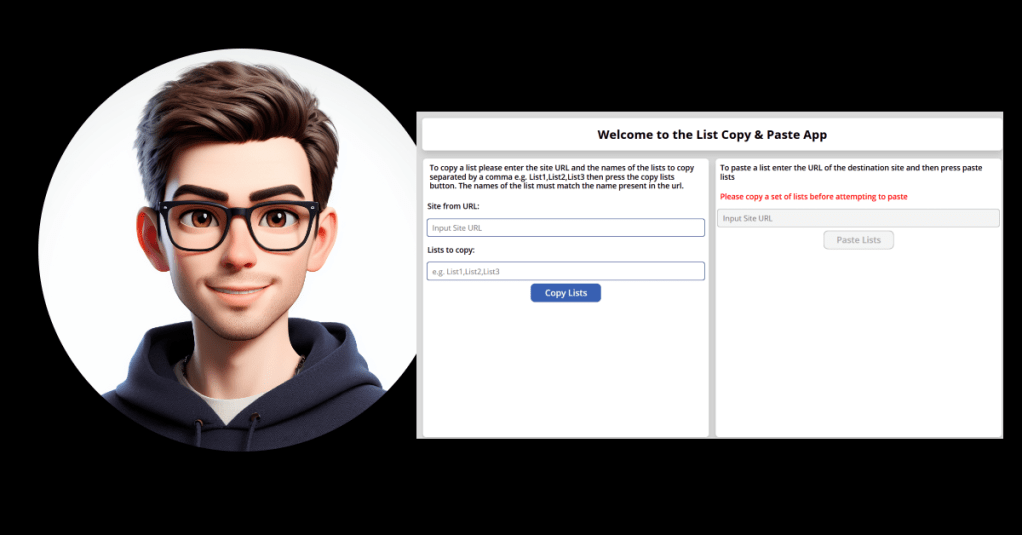
Quite regulary when delivering solutions backed in SharePoint we have to recreate the dev site lists for the test and production sites. This is relatively easy when we have access to powershell but when that isn’t an option the process becomes laborious. We either have to recreate the lists manually or use SharePoint template galleries to move the lists one by one to the test and production sites.
Having worked in these kind of environments and encountering this often it became a frustration that there wasn’t an easy way to copy and paste lists that didn’t require elevated permissions other than being a site owner on both the home and destination sites. And so I started digging and found that there is a SharePoint Designer REST API endpoint that could enable this. And so using that I developed a solution to my problem
The SharePoint List Copy & Paste App
This solution is the simple answer to that frustration. All that’s required is the home site URL of the lists you want to copy, the names of those lists (separated by a comma) and the URL of the destination site. It then uses that information and 2 of the endpoints available in the SharePoint REST API:
- _api/Microsoft.Sharepoint.Utilities.WebTemplateExtensions.SiteScriptUtility.GetSiteScriptFromList
- _api/Microsoft.Sharepoint.Utilities.WebTemplateExtensions.SiteScriptUtility.ExecuteTemplateScript()
The first one gets an executable script from the lists you defined and the second one then executes that script. This makes setting up your dev, test and production SharePoint sites much quicker and removes the option of human error.
I hope you find this helpful and if you want to deploy the solution then I’ve added it to the Power Platform Communit Sample Apps Gallery




 Power Nerd Insights - Power Platform Tips and Tricks
Leave a comment